
Jordan Health Service
Jordan Health Service
Jordan Health Service
SaaS Web App
SaaS Web App
SaaS Web App

Overview
Overview
Jordan Health Services sends nurses into thousands of homes every day. The software they carried with them was quietly making that harder. The numbers told the story before anyone did: 42% of visit notes were being written after hours, and support tickets kept arriving about failed syncs on rural routes. Checking a care plan, updating vitals, confirming a medication, small things, meant jumping between three or four tools or driving back to the office to find a connection.
Jordan Health Services sends nurses into thousands of homes every day. The software they carried with them was quietly making that harder. The numbers told the story before anyone did: 42% of visit notes were being written after hours, and support tickets kept arriving about failed syncs on rural routes. Checking a care plan, updating vitals, confirming a medication, small things, meant jumping between three or four tools or driving back to the office to find a connection.
Nurses told us they lost up to 90 minutes a day to this. Ninety minutes of fighting software instead of caring for patients.
Nurses told us they lost up to 90 minutes a day to this. Ninety minutes of fighting software instead of caring for patients.

Tech Stack
Figma
Design Tool

Maze
Testing

Miro
Mapping
Tech Stack
Figma
Design Tool
Maze
Testing
Miro
Mapping
Tech Stack
Figma
Design Tool
Maze
Testing
Miro
Mapping
ROLE
ROLE
UX Designer & Researcher
DURATION
DURATION
9 months
PLATFORM
PLATFORM
Healthcare B2B

How I worked
This wasn't really an interface problem. It was years of workflow decisions stacked on top of each other, inside a product that assumed everyone had wifi. Each phase below was about pulling those apart and building something that holds up in a parked car in the rain.

How I worked
This wasn't really an interface problem. It was years of workflow decisions stacked on top of each other, inside a product that assumed everyone had wifi. Each phase below was about pulling those apart and building something that holds up in a parked car in the rain.
What we were replacing
Jordan Healthcare 1.0 could handle scheduling and documentation, but it was built for a desk. Sync was unreliable, the tools didn't talk to each other, and offline mode simply didn't exist. The redesign had one non-negotiable: keep working when the connection doesn't.

What we were replacing
Jordan Healthcare 1.0 could handle scheduling and documentation, but it was built for a desk. Sync was unreliable, the tools didn't talk to each other, and offline mode simply didn't exist. The redesign had one non-negotiable: keep working when the connection doesn't.
Research
To understand the real workflow, I ran interviews and shadowing sessions with nurses, coordinators and clinical supervisors, plus usability reviews of the existing tool. Sitting in on actual visits is where the useful material came from, the workarounds people had stopped noticing they were doing.

Research
To understand the real workflow, I ran interviews and shadowing sessions with nurses, coordinators and clinical supervisors, plus usability reviews of the existing tool. Sitting in on actual visits is where the useful material came from, the workarounds people had stopped noticing they were doing.
Who we designed for
Our primary persona was the home-care nurse: tight schedule, long drives, complicated patients, and a phone that may or may not have bars. Mapping a full day showed where things broke down, finding patient context, catching alerts, writing notes, and being ready when something goes wrong.

Who we designed for
Our primary persona was the home-care nurse: tight schedule, long drives, complicated patients, and a phone that may or may not have bars. Mapping a full day showed where things broke down, finding patient context, catching alerts, writing notes, and being ready when something goes wrong.
What we learned
Four things came up over and over. Nurses needed patient context faster. Alerts needed to be obvious, not buried. Documentation had to take seconds, not minutes. And all of it had to work with no connection. Every decision after this traced back to one of those four.

What we learned
Four things came up over and over. Nurses needed patient context faster. Alerts needed to be obvious, not buried. Documentation had to take seconds, not minutes. And all of it had to work with no connection. Every decision after this traced back to one of those four.
Rebuilding the flow
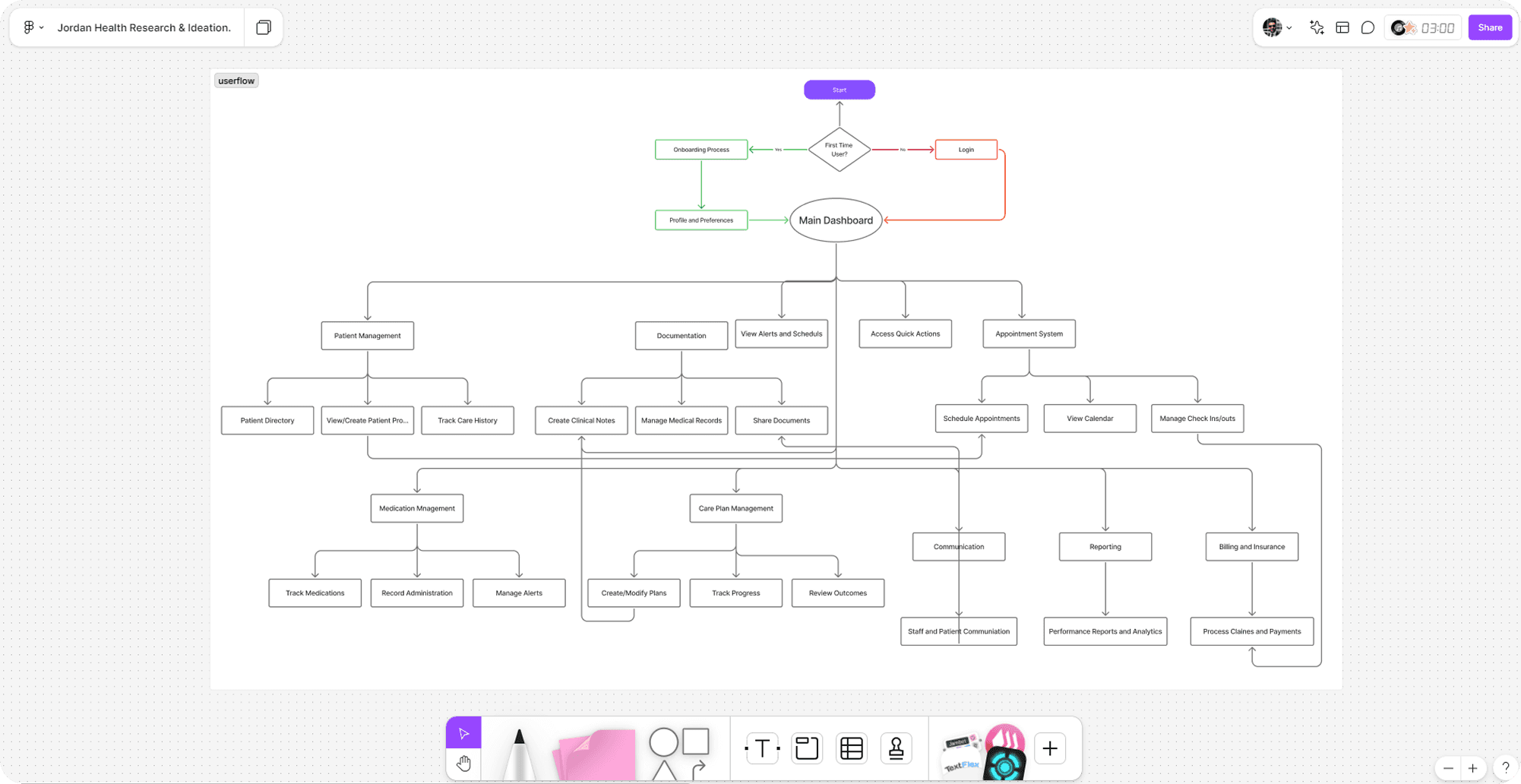
The old product grew one feature at a time over several years, which left tangled navigation and several routes to the same screen. I rebuilt the flow around how nurses actually described their day, visit prep, route, documentation, and cut the branching that made people guess.
Rebuilding the flow
The old product grew one feature at a time over several years, which left tangled navigation and several routes to the same screen. I rebuilt the flow around how nurses actually described their day, visit prep, route, documentation, and cut the branching that made people guess.
Wireframes
I kept these deliberately rough until the field feedback was in. Low fidelity meant we could argue about visit sequencing, alert priority and what offline should actually feel like, without anyone getting attached to a colour. Those sessions turned up edge cases no requirements document had mentioned.

Wireframes
I kept these deliberately rough until the field feedback was in. Low fidelity meant we could argue about visit sequencing, alert priority and what offline should actually feel like, without anyone getting attached to a colour. Those sessions turned up edge cases no requirements document had mentioned.
Accessibility
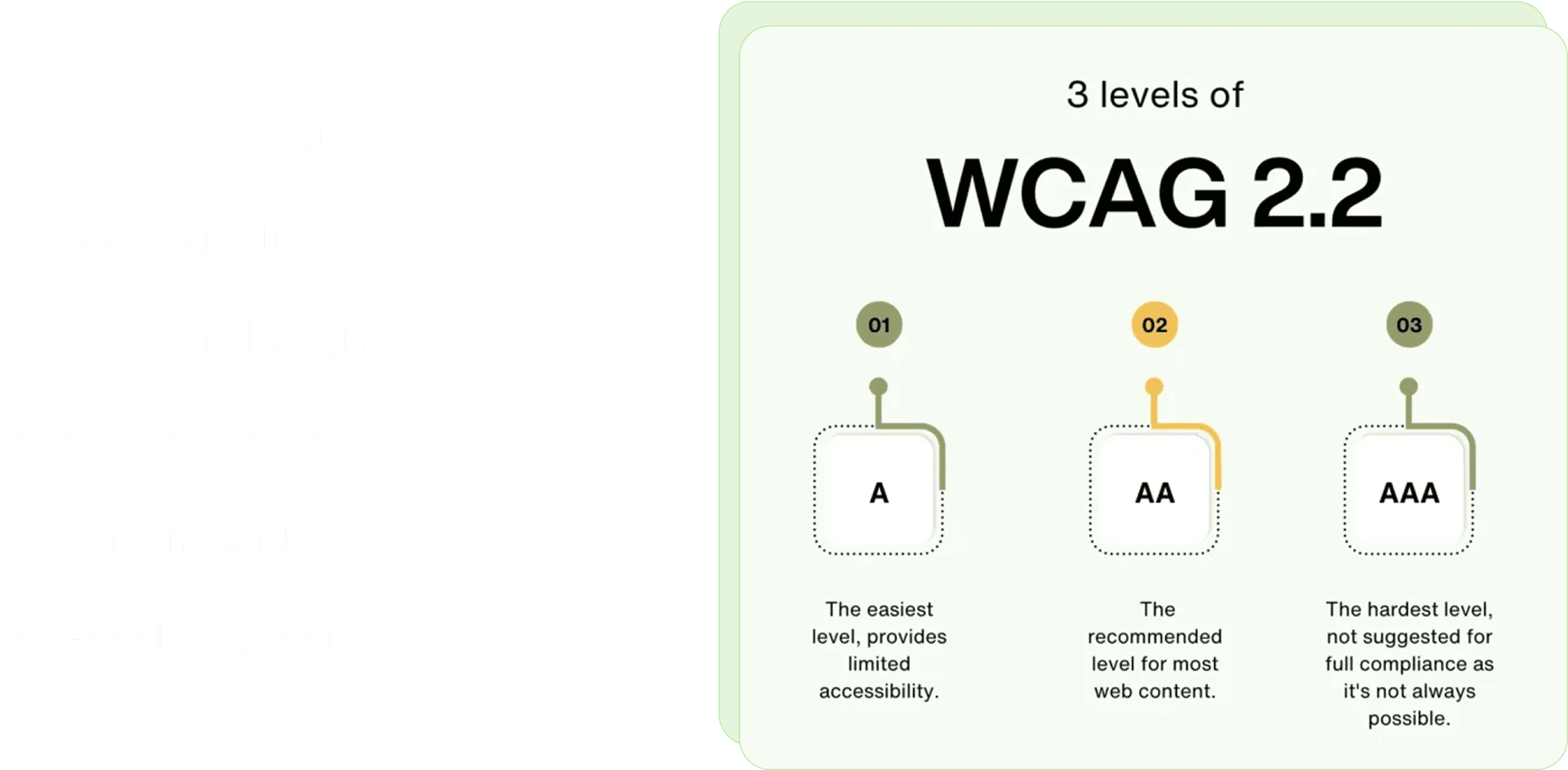
Nurses work outdoors, in cars, and in dimly lit homes. Accessibility here wasn't a compliance box, it was whether someone could read a dose at dusk. We pushed contrast up for sunlight, tightened the text hierarchy, made touch targets bigger for gloved hands, and made keyboard and screen-reader behaviour predictable on the office workstations.
Accessibility
Nurses work outdoors, in cars, and in dimly lit homes. Accessibility here wasn't a compliance box, it was whether someone could read a dose at dusk. We pushed contrast up for sunlight, tightened the text hierarchy, made touch targets bigger for gloved hands, and made keyboard and screen-reader behaviour predictable on the office workstations.

Working with engineering
This redesign touched almost every part of the system, so I worked alongside engineering the whole way. Me on interaction models, them stress-testing data constraints, offline behaviour and state logic. Weekly reviews caught dependency problems while they were still cheap to fix.

Working with engineering
This redesign touched almost every part of the system, so I worked alongside engineering the whole way. Me on interaction models, them stress-testing data constraints, offline behaviour and state logic. Weekly reviews caught dependency problems while they were still cheap to fix.
Dashboard
The dashboard is built for one person: a nurse about to start their day. Today's visits, the route, patient alerts and medication tracking, all in one place, all readable at a glance.
It also accounts for the things that actually derail a day, traffic, weather, a medication flag, so it works less like a screen and more like a briefing.

Dashboard
The dashboard is built for one person: a nurse about to start their day. Today's visits, the route, patient alerts and medication tracking, all in one place, all readable at a glance.
It also accounts for the things that actually derail a day, traffic, weather, a medication flag, so it works less like a screen and more like a briefing.
Patients
Patient statuses (active, inactive, critical, pending) are now grouped and clearly labelled. Staff can scan, filter and act without digging through one long list.

Patients
Patient statuses (active, inactive, critical, pending) are now grouped and clearly labelled. Staff can scan, filter and act without digging through one long list.
Appointments
The appointment screen pulls routing, visit context and urgency into one view. A nurse can see the whole day, including travel time and what each visit involves, before leaving the house.

Appointments
The appointment screen pulls routing, visit context and urgency into one view. A nurse can see the whole day, including travel time and what each visit involves, before leaving the house.
Care Plans
Care plans used to sit in a separate tool, which is why they often went unread. Now they're one tap from the visit, showing the current goals, the treatment timeline, how much is complete and anything the last nurse flagged. You walk in already knowing where things stand.

Care Plans
Care plans used to sit in a separate tool, which is why they often went unread. Now they're one tap from the visit, showing the current goals, the treatment timeline, how much is complete and anything the last nurse flagged. You walk in already knowing where things stand.
What testing showed
We tested the old and new builds side by side with nurses, measuring task completion, time on task and error rate across the flows that matter most: patient lookup, scheduling, care plans, medication and emergency response. The charts below show where the redesign moved the numbers.

What testing showed
We tested the old and new builds side by side with nurses, measuring task completion, time on task and error rate across the flows that matter most: patient lookup, scheduling, care plans, medication and emergency response. The charts below show where the redesign moved the numbers.
What changed after launch
The offline-first architecture did the heavy lifting: sync failures dropped 90.6% and documentation time was nearly halved, which gave nurses 23% more patient visits a day. Satisfaction among nurses and managers landed at 92%, documentation time per visit fell 45%, and time spent directly with patients rose 20%.

What changed after launch
The offline-first architecture did the heavy lifting: sync failures dropped 90.6% and documentation time was nearly halved, which gave nurses 23% more patient visits a day. Satisfaction among nurses and managers landed at 92%, documentation time per visit fell 45%, and time spent directly with patients rose 20%.